


Track pregnancy & baby growth
4.76.00 Reviews
App Specs
- Version
- 1.3.2
- Updated On
- License
- Free
- Downloads
- 1,000,000+
- Developer
- Outlookdaily
- Categories
- Parenting
- Platform
- Android
Screenshots

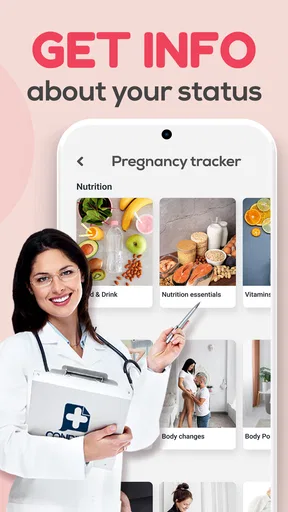
 Analysis by AppCompare
I tend to find pregnancy apps most useful when they fit into ordinary life rather than asking me to turn every day into a tracking project. Track Pregnancy & Baby Growth is aimed at that practical rhythm: a quick check-in, a look at what may be changing this week, and something helpful to carry into a conversation with a partner or care provider. I’d treat it as a companion for following the journey, not as a substitute for medical advice or prenatal care.
Starting with the details that matter
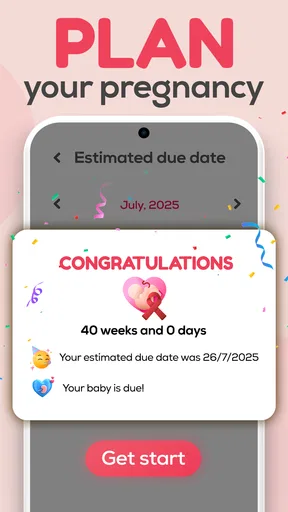
Before relying on any week-by-week guidance, I would make entering the pregnancy timing the first task and double-check it. The app’s information is tied to the stage of pregnancy, so an incorrect date can make an otherwise useful update feel out of step. If your clinician later adjusts your estimated due date, revisit the details in the app rather than assuming the timeline will correct itself on its own.
That small bit of setup makes a difference to how I’d use the app. I wouldn’t open it expecting a complete medical record or a personalized clinical assessment. I’d use it to orient myself: what stage I’m in, what topics might be worth reading about, and what questions I want to remember for an appointment. That distinction helps keep the app useful without giving its guidance more authority than it should have.
A check-in that stays manageable
For a realistic routine, I’d open the app at a calm moment once or twice a week, read the current update, and note only the details I genuinely want to remember. A short check-in is easier to sustain than trying to log every sensation. If a symptom is worrying or unusual, I’d contact a healthcare professional rather than waiting for an app entry to explain it.
The day-by-day angle can be helpful when pregnancy feels like a long stretch between appointments. Still, daily information is best treated as context, not a promise that every body will follow the same pattern. I’d avoid comparing my experience too closely with a suggested timeline; variation is normal, and a general app cannot judge what is happening in an individual pregnancy.
Turning a reading into a useful conversation
The strongest workflow, in my view, is to take one practical question from an update and bring it to the next appointment. For example, I might jot down a term I don’t understand or a change I want to ask about, then use the visit to get advice tailored to my situation. That is more useful than trying to remember a stream of facts when I’m sitting with a clinician.
If I were sharing the experience with a partner, I’d use the weekly update as a simple prompt for a conversation: what feels different, what support would help, and what needs planning this week? That kind of handoff turns a personal tracker into a shared point of reference without assuming the app has dedicated sharing tools. I would still communicate important health concerns directly rather than relying on anyone else to keep track of them.
Worth Reading Before You Choose

EA SPORTS FC Mobile 26 Is a Bigger Football Game, but It Takes Time

Flipboard Shows What News Apps Must Do Beyond the Feed

Switching to Android Auto Means Rethinking Your Driving Routine

Google Calendar Makes a Crowded Week Easier to Manage

Ludo King Makes the Most of the Minutes Between Plans

Baby Panda World Brings Quick Play to Modern Phones, but Its Game Library Feels Busy
What it does well—and where I’d be cautious
A pregnancy tracker can make the changing timeline feel easier to follow, especially for someone who likes a small amount of information at a time. The trade-off is that concise guidance may leave a curious reader wanting more detail. If an update raises a serious question, I’d look for a reliable medical explanation or ask a clinician, not use a brief app summary as the final answer.
I’d also keep expectations realistic about logging. Tracking can help me notice patterns or prepare for a discussion, but it is only useful if the entries are consistent enough to reflect what I want to remember. I wouldn’t treat a missing entry as a problem, or assume that a tracker captures every meaningful part of pregnancy. A paper note or calendar may be better for someone who prefers a flexible record they can shape themselves.
Hey there! So, I recently got my hands on this super handy app called Track Pregnancy & Baby Growth, and I’ve got to say, it’s a bit of a game-changer for moms-to-be. Whether you're a first-timer or have been through the journey before, this app is packed with features that make tracking your pregnancy and baby’s growth feel like a breeze.
First Impressions
When I first opened Track Pregnancy & Baby Growth, I was immediately impressed by its clean and intuitive design. It’s like the developers knew exactly what expecting parents need. The dashboard is straightforward, filled with easy-to-navigate tabs that guide you through each stage of pregnancy.
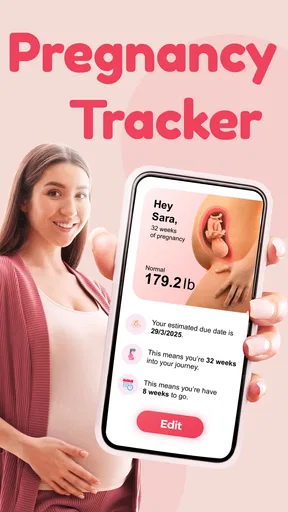
One of the first things you'll notice is the week-by-week tracker. This feature is a lifesaver! It breaks down each week with detailed information about what’s happening with your baby and your body. I found myself eagerly checking it every week to see what new developments were taking place.
Features That Stand Out
Let’s dive into some of the standout features that make this app a must-have:
- Weekly Updates: As I mentioned earlier, the detailed weekly updates are fantastic. They provide insights into fetal development, changes in your body, and even tips on what to expect at each stage.
- Personalized Content: This app doesn’t just stop at generic advice. It tailors information based on your due date and personal preferences. It’s like having a pregnancy coach in your pocket!
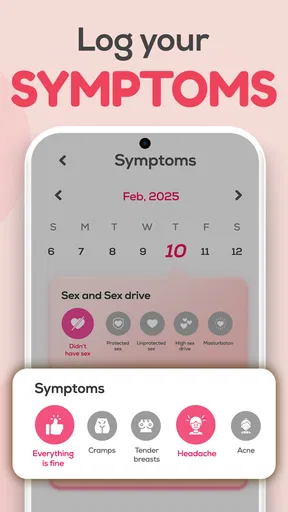
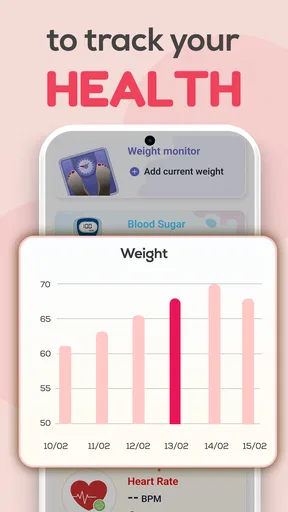
- Health Tracking: From weight gain to mood swings, you can track all sorts of health metrics. This feature is perfect for keeping your doctor in the loop during appointments.
- Kick Counter and Contraction Tracker: These tools are super handy, especially as you approach your due date. They help you stay in tune with your baby’s movements and prepare for the big day.
User Experience
One thing I really appreciate about this app is how user-friendly it is. The developers clearly prioritized making the app accessible to everyone. Whether you're tech-savvy or a bit of a newbie with apps, you’ll find it easy to use.
Another cool feature is the community forum. It’s a great space to connect with other parents-to-be, share experiences, and ask questions. It’s reassuring to know you’re not alone on this journey, and the community is super supportive.
Using it alongside other pregnancy resources
Compared with a paper calendar, a general parenting app, or notes kept on a phone, a dedicated pregnancy tracker gives the timeline a clearer shape: the focus stays on pregnancy and the baby’s development rather than on appointments alone. I’d choose this kind of app if I want weekly context in one place. I’d choose a calendar if reminders and scheduling are my main concern, and a notes app if I want complete control over what I record without following a preset structure.
That distinction matters because no single tool needs to do everything. I might keep appointment dates in a calendar, use the tracker for reading and check-ins, and save personal questions somewhere easy to find. Before an appointment, I’d review the notes I actually want to discuss instead of scrolling through every entry. That keeps the conversation focused and makes the app part of a routine rather than another task competing for attention.
Who is likely to get the most from it
I think it suits someone who enjoys following a pregnancy week by week and wants a gentle nudge to stay curious about changing stages. It may be especially reassuring for a first-time parent who wants a starting point for learning what questions to ask. Someone who has been pregnant before may still appreciate a quick refresher, though they may prefer to use the tracker selectively rather than read every update.
I’d be less enthusiastic about recommending it as the main choice for someone who wants a strictly clinical tool, extensive medical articles, or a record designed to replace professional care. It also may not fit a person who dislikes regular tracking or finds pregnancy comparisons stressful. In that case, using only the parts that feel supportive—or choosing a simple calendar and asking a clinician questions directly—could be a healthier fit.
Making the information work in daily life
One non-obvious way I’d use the app is as a planning prompt, not just a reading destination. After checking the current stage, I could choose one small practical action: write down a question, talk through a task with my partner, or set aside time to prepare for an upcoming appointment. The key is to turn an update into something useful without treating every suggestion as a requirement.
I’d also be selective about what I track. A running log can be useful when I want to describe a pattern during a visit, but recording every mood or sensation may become tiring and make normal ups and downs feel more significant than they are. I’d keep entries brief and focused on details I would genuinely want to recall. If a concern needs prompt attention, I would seek care rather than waiting to build a record in the app.
The app is free to start, while in-app purchases range from $4.99 to $17.99 per item. I’d explore the free experience first and decide whether any paid option answers a need I actually have, rather than upgrading simply because a feature is presented as useful. That makes the cost decision personal: someone satisfied with the core routine may not need to spend, while another person may value an optional extra enough to pay for it.
Room for Improvement?
Now, no app is perfect, right? While I love Track Pregnancy & Baby Growth, there are a few areas that could be tweaked. For instance, more in-depth articles on specific pregnancy topics would be a nice addition. Sometimes, I wanted to dive deeper into certain subjects that the weekly updates briefly touched upon.
Also, while the app offers a lot for free, some of the premium features are behind a paywall. It’s understandable, but it would be great if a few more features were accessible without having to upgrade.
Practical details before settling into a routine
Outlookdaily is the developer behind this parenting app. It is free to download, rated for Everyone, and has an average rating of 4.8 from around 2.5 thousand ratings, with over 500 thousand installs. It was released on April 2, 2025, and version 1.2.9 requires Android 9 or later. Those details make it easier to judge whether it fits your device and comfort level, but I’d still make the decision based on whether the actual routine feels helpful to you.
A common question is whether this can stand in for prenatal advice. My answer is no: I’d use it for general context and personal organization, while leaving diagnosis and treatment decisions to qualified care providers. Another question is whether it makes sense to open it every day. I’d say only if that feels enjoyable; a weekly check-in can be enough for someone who wants a low-pressure experience. And if I’m unsure whether a change is important, I’d ask a clinician rather than rely on a tracker or community discussion to settle it.
Final Thoughts
All in all, Track Pregnancy & Baby Growth is a fantastic companion for anyone expecting. It’s informative, easy to use, and genuinely makes the pregnancy journey a little less daunting. If you’re on the lookout for an app to help you through one of the most exciting times of your life, this one is definitely worth checking out.
So, there you have it! Give it a try and let me know what you think. Here’s to happy, healthy pregnancies and beautiful baby journeys!
Pros
- User-friendly interface for easy navigation.
- Comprehensive tracking of pregnancy milestones.
- Customizable notifications for important updates.
- Offers expert advice and articles on pregnancy.
- Interactive community for support and sharing.
Cons
- Limited features in the free version.
- Requires constant internet connection.
- Some information may be too generic.
- Occasional ads can disrupt user experience.
- Lacks integration with wearable devices.
FAQs for Track pregnancy & baby growth
How accurate is the pregnancy tracking feature?
The pregnancy tracking feature uses medically reviewed data to provide accurate information on fetal development week by week. It compares your input data with average pregnancy milestones, offering insights tailored to your specific timeline. However, always consult with a healthcare provider for personal medical advice.
Can I customize the notifications for baby growth updates?
Yes, the app allows you to customize notifications based on your preferences. You can choose the frequency and type of updates you want to receive, whether it's weekly development milestones or specific health tips. This ensures you stay informed without feeling overwhelmed by too much information.
Does the app offer any community support or forums?
The app includes a community feature where users can connect with other expecting parents. This allows for sharing experiences, asking questions, and offering support. It's a valuable resource for those who want to engage with others going through similar journeys, fostering a sense of community and shared experiences.
Is the app available for both Android and iOS devices?
Yes, the app is available on both Android and iOS platforms. You can download it from the Google Play Store for Android devices and the Apple App Store for iOS devices. This ensures that users have access to the app regardless of their preferred device, enhancing accessibility.
Are there in-app purchases or subscription fees?
The app offers a free version with essential features, but there are also in-app purchases and subscription options available. These provide access to premium features such as personalized health tips, advanced tracking tools, and ad-free usage. Users can choose the level of service that best fits their needs and budget.


